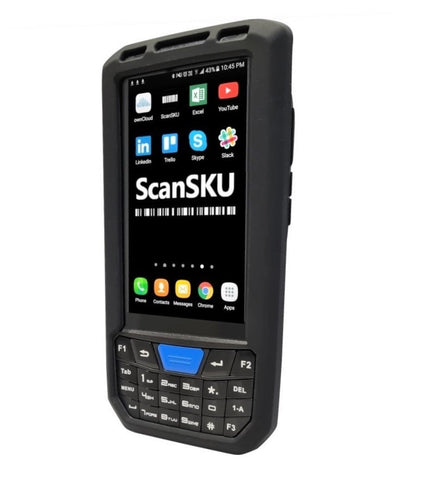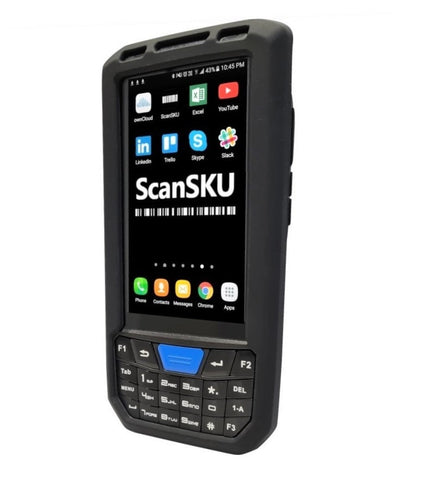



HandiFox Android Barcode Scanner ScanSKU
 |
+ |  |
|---|
HandiFox I ScanSKU Barcode Scanner
Run a professional warehouse on a small-business budget. Streamline inventory tracking, optimize your supply chain, and sell on the go from ScanSKU devices.
Set up Tips:
See video below for setup information.
- Set your Scanner to "Broadcast Mode" in the "Scan app" which comes pre-loaded on the scanners. (Scan app, Settings, scroll down to "output")
- Set the Broadcast values as:
Name:
com.motorolasolutions.emdk.handifoxonline.recvr
Key-value:
com.motorolasolutions.emdk.datawedge.data_string
or you can download and import the config file. Download here
(Import via the Scan app, press 3 dots in top right and select 'Import Config. And find this file)


3. Ensure 'Terminator' is set as 'None'. Now you're ready to use the Scanner with HandiFox.
The Recommended Scanner for Handifox is the G Series and R Series.
You can also use the app on the C66 or MC50 scanners, however input these same settings above, in the app called "Keyboard emulator)
Use this code on checkout to get 10% off your scanner: handifox
Settings:
HandiFox website here
Software Compatibility Disclaimer
Our hardware is tested to ensure it works with the software packages listed on our website at the time of testing, using the software version available at that time. We aim to provide smooth setup, integration, and day-to-day operation based on those test results.
Because software providers may update, modify, or discontinue features at any time, we cannot guarantee ongoing compatibility after changes are made to their software. Updates may impact performance, functionality, or compatibility, and we are not responsible for issues caused by software changes outside our control.
We recommend you confirm compatibility directly with the software provider and review their release notes or update history before upgrading.